The app you download determines which rules apply
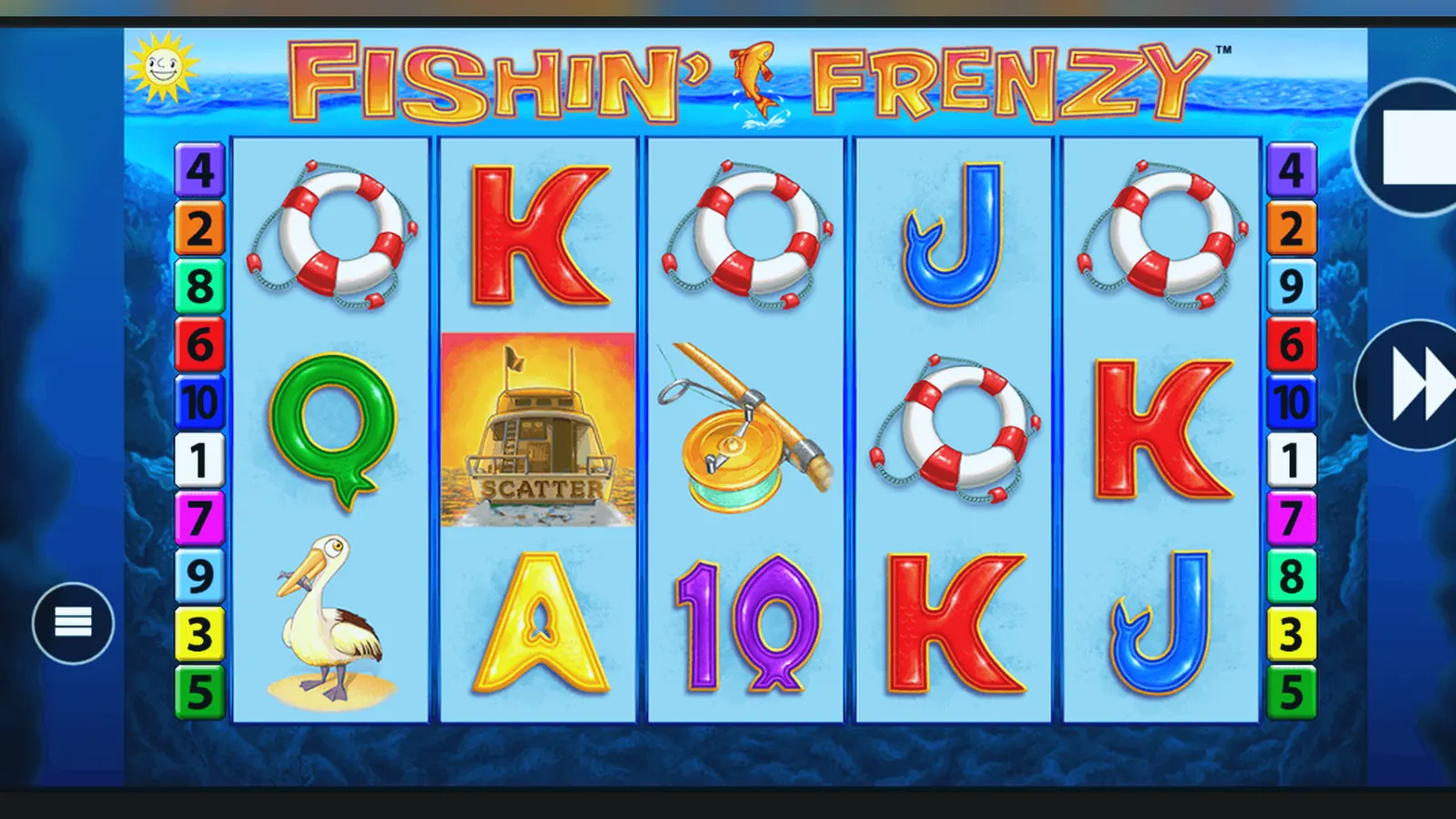
In the United Kingdom, the app you install decides whether you're playing under UKGC protection or outside it entirely. Every licensed operator serving British players needs a remote gambling licence from the UK Gambling Commission, and that licence number must sit in the app footer—if it's missing, the site is illegal to market here and you've got no regulatory cover.
Fishin Frenzy appears on dozens of UKGC-licensed platforms, each wrapped in its own operator app or mobile site. The game itself doesn't change, but the operator's compliance stack does: stake caps of £5 per spin drop to £2 for players aged 18–24, affordability checks kick in from £150 net deposits a month using credit-reference data at the first stage, and GAMSTOP blocks every licensed site if you self-exclude. An APK from an unlicensed source bypasses all of that, which is why we're walking through the install paths step by step and the risks of each.
Store card: what the listing tells you before you tap install
When you search for a casino app hosting Fishin Frenzy on Google Play or the App Store, the listing itself is the first compliance check. Both stores allow UK real-money gambling apps from licensed operators, and the app card gives you the operator's identity, version history, and age gate before you commit storage space.
The developer field is the anchor: cross-reference the legal name against the UKGC public register and match the licence number you'll find in the app footer once installed. If the developer name is generic, non-UK, or absent from the register, it's not a licensed operator and you're outside regulatory protection.
Three screens that matter: lobby, stake control, and responsible gambling tools
Once the app is open, three interface layers show you whether the operator is running UKGC-compliant infrastructure or cutting corners.
The lobby screen lists all available slots, including Fishin Frenzy, with a search bar and category filters. At the bottom of this screen—every screen, in fact—you'll see the UKGC licence number as a footer link. Tap it and you should land on the operator's About or Legal page with the full licence details and a link to the Commission's register. No footer, no licence.
The stake control screen appears when you tap Fishin Frenzy and set your spin value. For players aged 25 and over, the cap is £5.00 per spin; for those aged 18–24, the app enforces a £2.00 maximum. The age gate happens at registration using credit-reference checks, so the cap applies automatically based on your verified date of birth. If the app lets you stake above these limits, the operator is breaching UKGC rules.
The responsible gambling tools screen—usually in Settings or Account—gives you deposit limits (daily, weekly, monthly), loss limits, session reminders, and a direct link to GAMSTOP. Licensed operators must offer these controls, and affordability checks start from £150 net deposits a month. The first stage pulls soft credit data; if deposits climb higher, the operator can request proof of income. This screen also shows BeGambleAware messaging and, if you've set a limit, a countdown to when you can adjust it (usually 24 hours for increases, immediate for reductions).
Four install paths: browser, home screen shortcut, operator app, and APK
You don't need a native app to play Fishin Frenzy on mobile—the game runs in any modern browser via HTML5. But if you want an app-like experience or offline lobby access, here are the four routes and the compliance implications of each.
- Browser path: Open Safari or Chrome, navigate to the licensed operator's domain, log in or register with age verification, search for Fishin Frenzy, and tap Play. No install, no storage cost, full UKGC protection as long as the site footer shows a valid licence number. This is the safest default.
- Add to home screen (progressive web app): In the browser, tap the Share icon (iOS) or menu dots (Android), select «Add to Home Screen», and confirm. The operator's web app installs as an icon with a streamlined interface, no Play Store involved. It's still the operator's licensed site wrapped in a shortcut, so all UKGC rules apply. Risk: minimal, same as browser play.
- Official operator app from Google Play or App Store: Search the store for the operator's name (not «Fishin Frenzy» alone, since the game isn't published standalone), check the developer field matches the UKGC register, and install. The app bundles the game library, faster login, and push notifications for bonuses. Risk: low if you verify the developer; higher if you install a lookalike with a similar name but no licence.
- APK sideload from a third-party site: Download an .apk file from a non-Play source, enable «Install from unknown sources» in Android settings, and run the installer. This bypasses Google's vetting and the UKGC's oversight entirely. The APK could be a legitimate operator build ripped and redistributed, or it could be a clone seeded with malware, rigged RNG, or fake payment forms. Risk: extreme—you lose regulatory protection, your payment data is exposed, and winnings may never arrive. We don't recommend this path for any real-money play in the UK.
Phone requirements: what you need to run the operator app and the game inside it
Fishin Frenzy is a lightweight 2013-era slot, but the operator's app shell and account features set the baseline. Most UKGC-licensed casino apps require Android 7.0 or iOS 12 as a minimum, with 2 GB of RAM and 150 MB of free storage for the app plus cached game assets.
- Operating system: Android 7.0 (Nougat) or later, iOS 12 or later. Older devices lose access as operators sunset legacy SDKs for security and payment compliance.
- Storage: 85–120 MB for the app, another 30–50 MB for cached game files if you play multiple slots. Clear the cache in settings if storage runs low.
- Network: Wi-Fi or 4G with stable latency; the game streams from the operator's server, so a dropped connection mid-spin will pause the round and resume when you reconnect. Faster Payments withdrawals and affordability checks also require live connectivity.
- Permissions: camera (for document upload during KYC), location (geofencing to confirm you're in the UK), storage (to cache lobby images), notifications (for bonus alerts). Location is mandatory under UKGC rules to prevent play from restricted territories.
If the app requests contacts, call logs, or SMS history, that's a red flag—licensed operators don't need that data and GDPR limits collection to what's necessary for the service. Uninstall and report it.
What the app does beyond launching the game
The operator app is the wrapper: it handles account registration, deposits via debit card or PayPal (credit cards have been banned for gambling since 2020), session history, and responsible gambling controls. Fishin Frenzy itself runs inside an embedded browser view or native WebGL canvas, streaming from the provider's server.
- Account management: edit deposit limits, set loss caps, view transaction history, upload documents for KYC before the first withdrawal (24–48 hours is normal), and link GAMSTOP if you need to self-exclude.
- Payment methods: debit card (Visa/Mastercard), PayPal, Apple Pay, Open Banking via Trustly, and paysafecard. The method must be in your own name—third-party payments are blocked. Withdrawals go to e-wallets in a few hours to 24 hours, or Faster Payments to your bank in the same day to two working days.
- Bonus tracking: see active wagering requirements (always present on bonuses), expiry timers, and which games contribute. Fishin Frenzy usually counts 100% towards slots wagering, but check the operator's terms—some exclude certain Blueprint titles.
- Geolocation: the app pings your location when you open it and again when you place a stake, confirming you're in the UK. If you're abroad, the app blocks real-money play but may allow demo mode depending on the operator's licence scope.
- Notifications: deposit confirmations, withdrawal updates, and promotional offers. You can disable these in settings without affecting gameplay.
The app doesn't store your balance offline—every spin, deposit, and withdrawal syncs with the operator's server in real time, so you can switch from app to desktop browser mid-session and your balance will match.
Version updates: what changes and what stays the same
Operator apps update every few months to patch security holes, add new payment integrations, and adjust the lobby interface. The game itself—Fishin Frenzy—doesn't change between app versions because it streams from Blueprint's server; the operator just embeds a link to it.
A typical update log for a UKGC casino app reads like this: «Enhanced deposit limit controls to align with April 2026 affordability guidance», «Added Faster Payments for withdrawals», «Improved geolocation accuracy», «Bug fixes and performance improvements». None of that alters the slot's RTP, volatility, or max win—it's infrastructure work to keep the operator compliant.
If an update mentions changes to the game library, it means the operator added or removed titles, not that Fishin Frenzy's maths model has shifted. Blueprint publishes the game to operators as a fixed build; any variance in RTP (some offer 96.00%, others 94.00%) is set at the contract level and declared in the game's info screen, not toggled by app updates.
Spotting fake clones and permission red flags
Clone apps mimicking licensed operators appear on third-party APK sites and sometimes slip through Play Store vetting before Google pulls them. They steal the operator's branding, rebadge the game library, and funnel deposits to unregulated payment processors. Here's how to catch them before you hand over card details.
- Developer mismatch: cross-check the developer name in the store listing against the UKGC register. If the app is called «Coral Casino» but the developer is «GameHub Solutions Ltd» with no UK presence, it's fake. Legitimate apps show the licensed operator's legal entity as the publisher.
- Missing or invalid licence number: open the app, scroll to the footer, and tap the licence link. It should take you to the operator's legal page with a UKGC number starting with 000- or 039- for remote licences. Verify that number on the Commission's public register at no cost. No footer link means no licence.
- Excessive permissions: a real casino app needs location, camera (for KYC), and storage. If it asks for contacts, call history, SMS, or microphone, reject it. Clones often request broad permissions to scrape data for resale or phishing.
- Unbelievable offers: «300% match bonus, no wagering, instant withdrawal». UK advertising rules prohibit misleading claims, and no UKGC operator can offer zero-wagering bonuses at scale without going bust. If the promotion sounds too good, the app is either unlicensed or a scam.
- Off-store APK links: if a site claims the operator's app is banned from Play and offers a direct .apk download, it's a clone or malware. UKGC operators publish to official stores; there's no regulatory barrier forcing them off-platform in the UK.
When in doubt, visit the operator's website in a desktop browser, find the mobile app link in the site footer, and follow it to the official store listing. That's the only path you can trust for real-money play under UKGC rules.
FAQ
Can I download Fishin Frenzy directly from Blueprint Gaming as a standalone app?
No. Blueprint Gaming is the provider, not an operator, so they don't publish consumer-facing apps. Fishin Frenzy only appears inside licensed casino operator apps or mobile sites—search for the operator's name on Google Play or the App Store, not the game title. Every operator offering it in the UK must hold a UKGC remote gambling licence, and that licence number will be in the app footer.
Why does the app block me from playing when I'm abroad, even though I registered in the UK?
UKGC licensing restricts real-money play to UK territory. The app uses geolocation to confirm your physical location when you open it and again when you place a stake. If you're outside the UK, it blocks deposits and spins to comply with the licence scope. Some operators allow demo play abroad, but most lock the app entirely until you return. A VPN won't bypass this because the app checks GPS and network data, and using one violates the operator's terms.
What happens if I install an APK from a third-party site and deposit money?
You lose UKGC protection entirely. The APK could be a clone seeded with rigged RNG, fake payment forms, or malware harvesting your card details. Even if the app looks legitimate and lets you play, there's no regulatory recourse if withdrawals never arrive or your account is locked. Unlicensed operators aren't bound by GAMSTOP, stake caps, or affordability checks, and your gambling winnings—normally tax-free in the UK—could be reported as taxable income if the offshore operator cooperates with HMRC. The only safe install path is the official store listing from a UKGC-licensed operator.